Money Returns and cancelling
How to Cancel Kovo: Refunds and Fine Print
How to cancel Kovo credit in one email, plus the 30-day free refund window, the $10 a month cost over 24 months and what each choice means for you.
-
 By Ruth Calloway, money editor
- Published
We may earn a commission when you buy through links on this page. It never changes what we report. Disclosure
Verdict: If you want to know how to cancel Kovo credit, the answer is one email to support@kovocredit.com, with a free refund available inside 30 days. Kovo suits first-time credit builders who want a fixed $10 a month and says it charges no fees and no interest. We recommend it to those buyers: sign up, use the 30 days to decide, then keep it or cancel.
| Key fact | Detail |
|---|---|
| What it is | A US credit-building plan, the Installment Credit Account: you buy Kovo’s tools and services on credit, and Kovo reports each payment to four credit bureaus |
| Price | $10 a month for 24 months, $240 in total (checked 22 November 2026) |
| How it is bought | Online or in the iOS and Android app, with an instant decision and no hard credit pull |
| Refunds and cancellation | Free refunds within 30 days; cancel by emailing support@kovocredit.com |
| Who is behind it | Kovo Inc., a registered public benefit corporation, NMLS ID 2006784 |
| Best for | First-time credit builders who want one low, fixed monthly payment |
| Not the best fit for | Buyers who want money paid out at the end (Self) or the smallest monthly cost (Kikoff) |
Kovo gives you a free 30-day refund window on its $10 a month credit-building plan. See current prices at Kovo
How we examined this
We read Kovo’s Help Center, Terms of Service, About, Contact and sign-up pages on 22 November 2026, along with its App Store listing. For the comparison we also read the pricing and terms pages of Kikoff and Self. This article is research of public pages. Every price, policy and date comes from those pages, and each quote is word for word with a link to its source.
How to cancel Kovo credit: the short answer
You cancel Kovo by emailing support@kovocredit.com. If you are within 30 days of your purchase, Kovo offers a free refund, and you ask for it the same way.
That gives you two clear routes. The first is the refund route, open for 30 days, where you ask Kovo to return your purchase. The second is the cancel route, open at any time, where you ask Kovo to deactivate your account.
The two routes work differently, so it helps to know which one you want before you write. A refund is about getting your money back. Cancelling is about ending the account. Inside the first 30 days you can ask for both in one message.
Kovo also tells you plainly that it sells the plan as a purchase on credit. The rest of this article gives the exact wording, the steps, the costs over 6, 12 and 24 months, five worked scenarios and a comparison with Kikoff and Self.
What this means for you: sign up with the 30-day window in mind, and make your decision before it closes.
The refund policy in Kovo’s own words
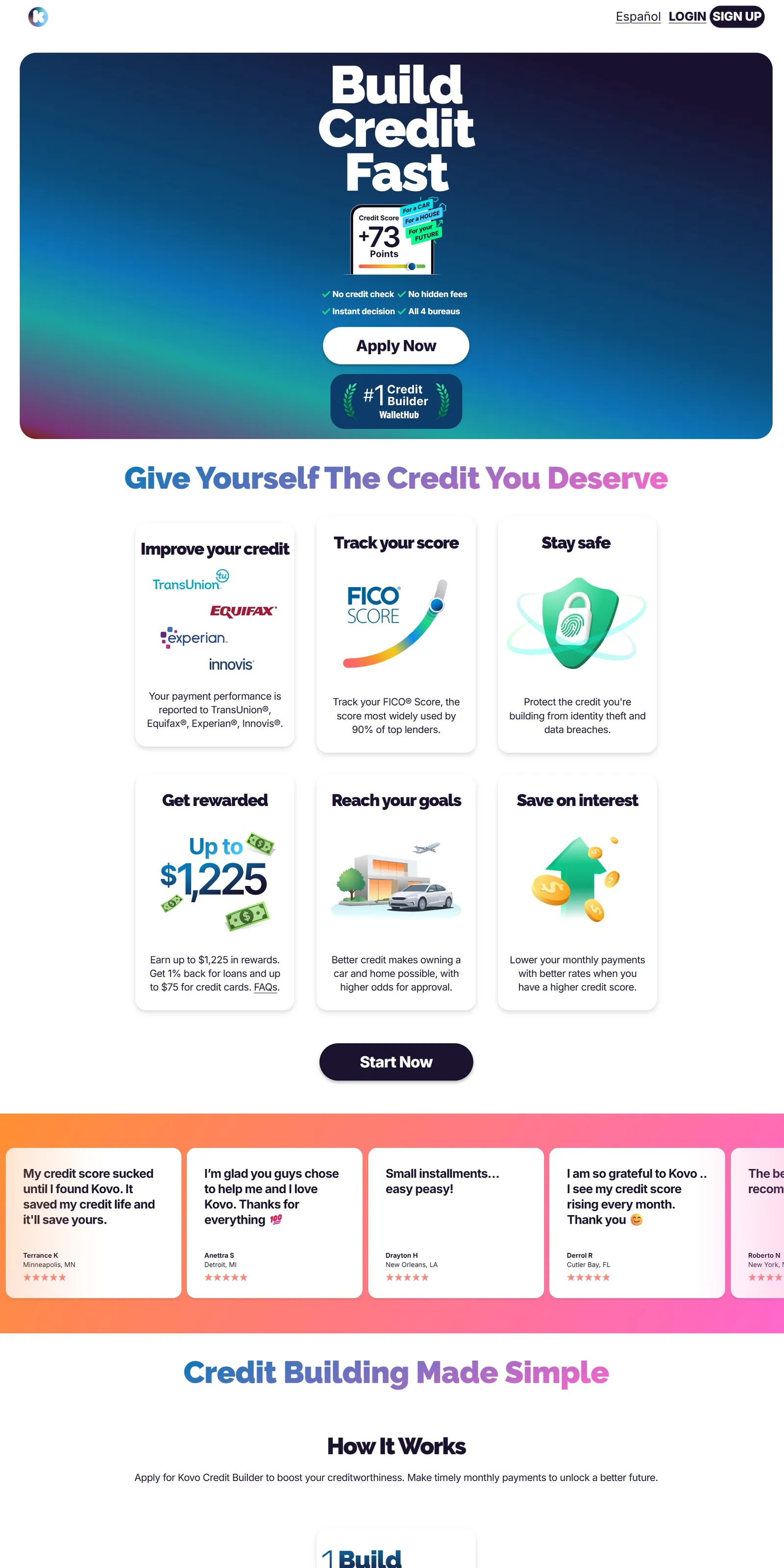
Kovo states its refund policy in the Help Center, and it is short enough to quote in full where it matters. Here is the passage (checked 22 November 2026, source: Kovo Help Center):
“We offer free refunds within 30 days. To initiate a return, please email support@kovocredit.com.”
The sentence before it in the same answer says Kovo is there to help if you want to return a purchase made with the Installment Credit Account “for any reason”. So the window does not depend on you giving a cause.
Three parts of the policy matter. The refund is free, so Kovo does not take a charge for processing it. The window is 30 days. And you start it by email to Kovo support.
The Help Center lists this answer under the question “Is there a return policy?” You can see the question list in the screenshot below. Kovo places the return question next to its fees question, so a buyer finds both answers in one place.
What this means for you: the refund is written down, free and open to every Installment Credit Account buyer, so you can try the plan with a clear exit.
What the refund policy means in plain language
The policy means you can pay for the first month, look around the app, and still get your money back if you change your mind within 30 days. Some terms in this area need a short explanation.
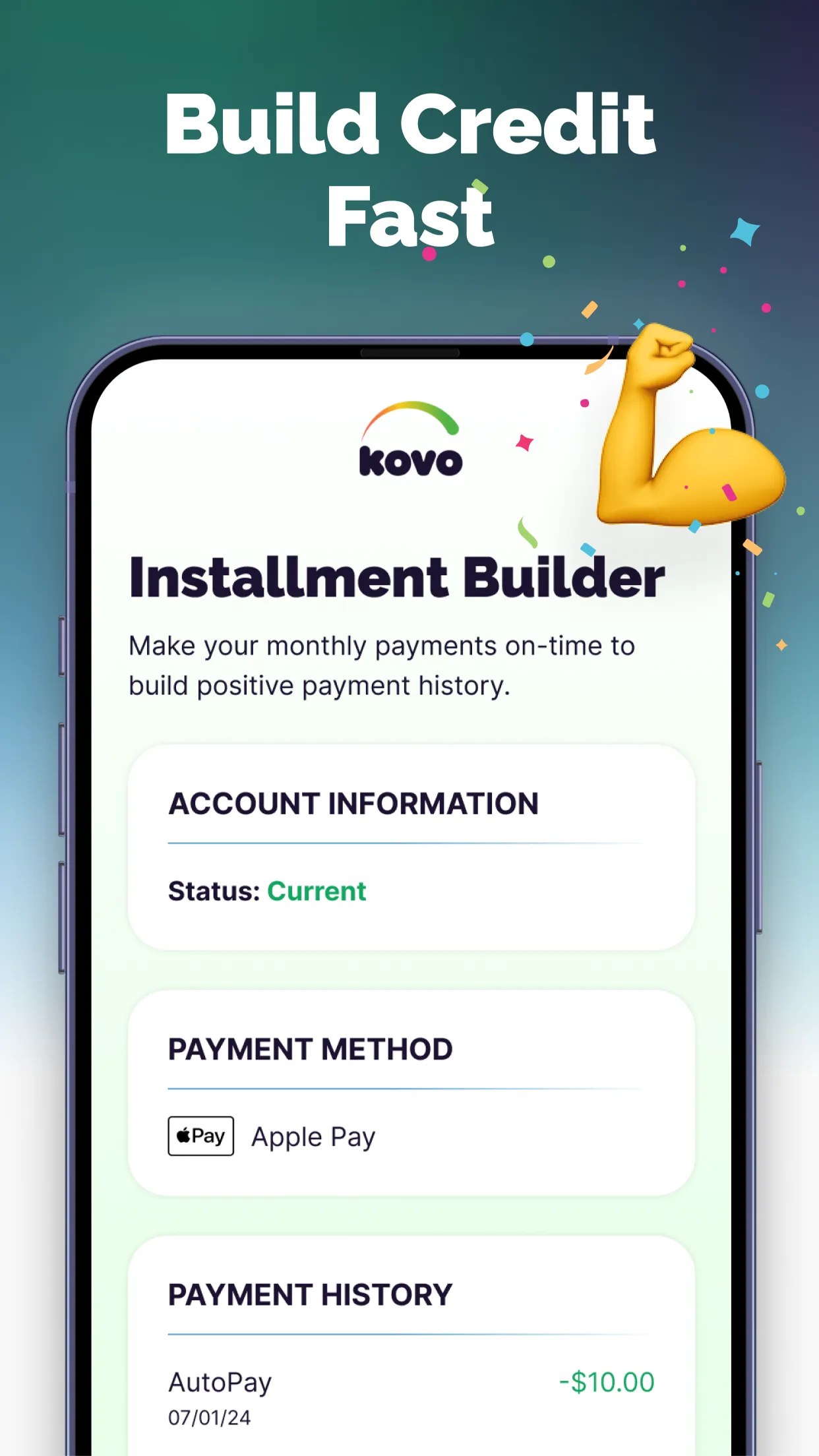
The “Installment Credit Account” is Kovo’s main product. It is an installment contract, which means a contract where you agree to pay a fixed amount each month. Kovo’s Help Center says that in exchange for “personal growth tools and 24 months of identity monitoring”, you promise to pay $10 a month (checked 22 November 2026) over 24 months.
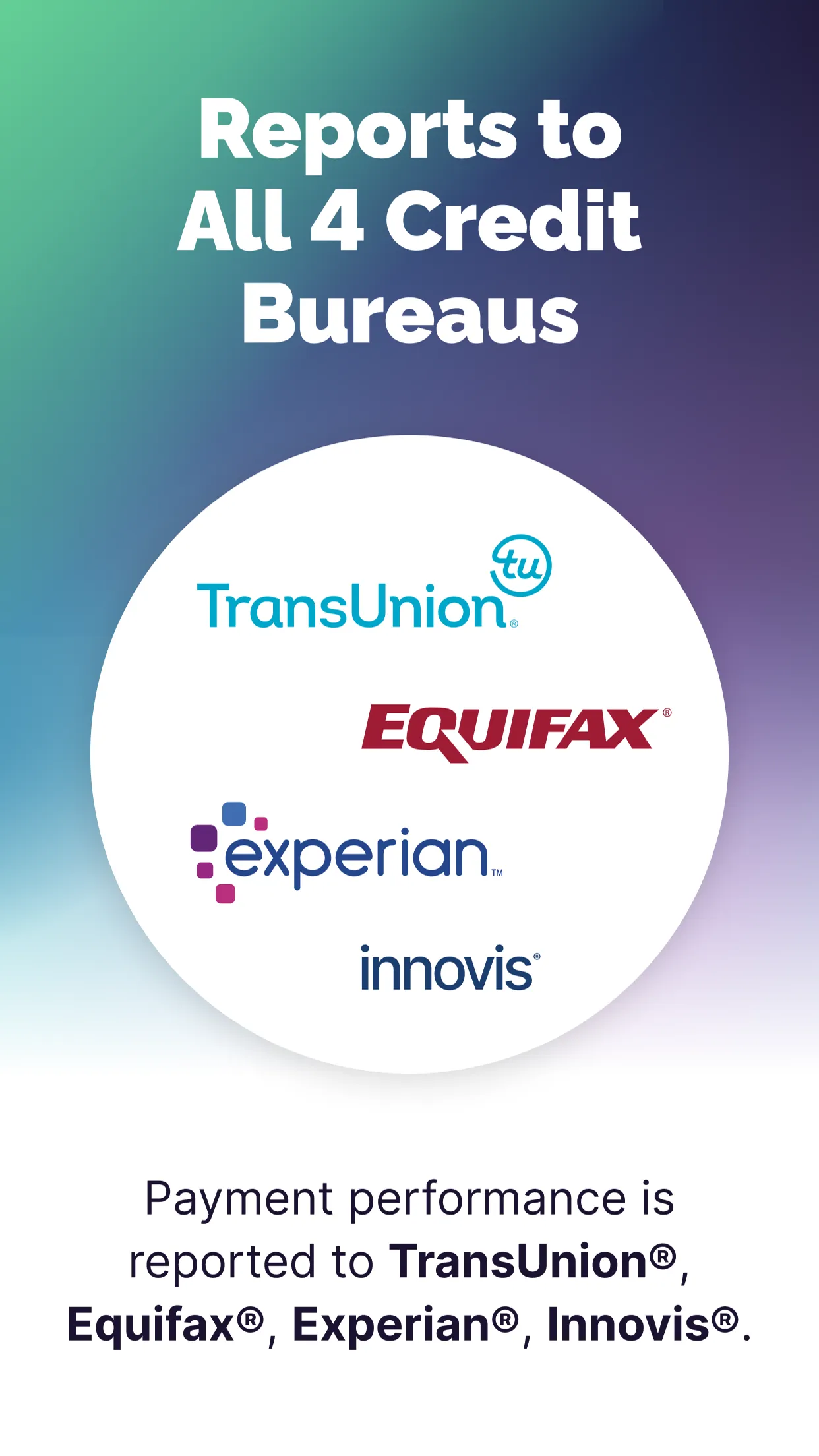
A “tradeline” is a single account that appears on your credit report. Kovo reports your Installment Credit Account to the credit bureaus every month, and the bureaus are the companies that keep credit reports. Kovo names four: TransUnion, Equifax, Experian and Innovis.
A “return” in Kovo’s wording means returning the purchase you made with the account. Kovo describes what you are doing as “purchasing Kovo’s tools and services on credit”.
The policy does not turn the plan into a loan. Kovo says there is no savings account attached and no cash payout at the end. Your $10 a month pays for the tools and services, and the refund window is the way to back out early.
What this means for you: treat the first 30 days as a free look. Use the app, read the account and decide before day 30.
Cancel Kovo credit builder by email, step by step
You cancel the plan by emailing Kovo support, and the same steps cover a refund request. Kovo’s Help Center states the cancellation route (checked 22 November 2026, source: Kovo Help Center):
“If you would like to cancel your account, please contact support@kovocredit.com. Please be aware that cancelling your account can have negative impact to your credit score.”
Kovo gives that credit-score notice once, in its own words, so we state it once here too. It is the reason to decide with care, and the next sections show how to choose between keeping the plan and leaving.
Follow these steps.
- Decide which route you want. Choose a refund if you are within 30 days of your purchase. Choose cancellation if you are past 30 days or only want the account ended.
- Find your purchase date. Look at your first $10 payment (checked 22 November 2026) in the app or on your bank statement. Count 30 days from there and write down the last day.
- Write the email. Send it to support@kovocredit.com from the address on your account. Put “Cancel account” or “Refund request” in the subject line, plus your full name.
- Say exactly what you want. Name the plan, give your first payment date, and ask for a refund, a cancellation or both. Short and specific works best.
- Ask what happens next. Ask how the account will be reported and what happens to any remaining payments, so you have Kovo’s answer in writing.
- Keep your records. Save the sent email, Kovo’s reply and the dates. Check your bank statement afterwards to confirm that no further $10 draft appears.
Here is a short email you can copy: “Hello, please cancel my Kovo Installment Credit Account and refund my purchase under your 30-day refund policy. My name is [full name], my account email is [email], and my first payment was on [date]. Please confirm by reply and tell me how the account will be reported.” Send it from the address on your account.
Kovo’s support phone is (855) 965-5686 and its email is support@kovocredit.com, both listed on its Contact page. The Help Center names email as the route for returns and cancellations, so use email for the request. You can use the phone for a quick question first.
If you do not hear back within a few days, send the same message again in the same thread. Both messages then carry dates, and your dated emails show when you made the request.
What this means for you: cancelling takes one email of about five lines. Send it early in the 30 days if you want a refund.
Deadlines, conditions and costs at a glance
This table collects every deadline, condition and cost in Kovo’s terms in one place. Prices were checked on 22 November 2026.
| Item | What Kovo states | What you do |
|---|---|---|
| Refund window | Free refunds within 30 days | Email support@kovocredit.com early in the window |
| How to start a return | Email support | Name your plan and first payment date |
| How to cancel | Contact support@kovocredit.com to cancel or deactivate | Email, then keep the reply |
| Monthly price | $10 a month for 24 months | Check that you can pay it for the full term |
| Total on the plain terms | $240 (24 x $10), our arithmetic | Plan for $240 if you stay the full term |
| Fees | No setup, membership, annual, late, failed payment, processing or prepayment fees | Nothing to add to the $10 |
| Interest | “0% interest” and “No interest charges” | Nothing to add to the $10 |
| Skipping a payment | Not possible at this time | Keep your payment method current |
| Missed payment | No late fee; reported if still unpaid after 30 days | Pay inside 30 days of the due date |
| Early payoff | No prepayment penalty | Pay off sooner if you want the plan closed |
| Reward access | After 4 on-time payments | Keep payments on time to qualify |
| Credit boosts | After 1 on-time payment | Add them only if you want them |
Two rows deserve a closer look. The first is the fees row. Kovo’s Help Center answers its fees question with a full list: “No setup fees. No membership fees. No annual fees. No late fees. No failed payment fees. No processing fees. No prepayment fees.” That list means the $10 is the price you see.
The second is the missed payment row. Kovo does not charge a late fee, and it also says it cannot skip a payment for you. We explain how that works in its own section below.
What this means for you: a buyer who emails inside 30 days, keeps the payment method current and pays on time meets every condition on this list.
What Kovo costs over 6, 12 and 24 months
The Installment Credit Account costs $10 a month for 24 months, so the total is $240 (checked 22 November 2026). Kovo’s home page states the price as “Installment Credit $10/mo for 24 months”, and its About page says “There is no hard credit check, no interest, and no fees - only $10/month”.
The chart shows what you would have paid at each stopping point. Each figure is simple multiplication of the $10 monthly price, so you can check it yourself.
Here is the same information as worked examples:
| If you stop after | You have paid | Left on the 24-month plan |
|---|---|---|
| 1 month | $10 | $230 |
| 3 months | $30 | $210 |
| 6 months | $60 | $180 |
| 12 months | $120 | $120 |
| 24 months | $240 | $0 |
“Left on the plan” is the part of the $240 contract you have not yet paid. Kovo’s terms say deactivating your account does not change the amount due, which we quote in the next section.
With the Revolving add-on
The Revolving Credit Account is an optional add-on. Kovo shows it as ”+$10/month” on top of the Installment plan, which makes “$20/month total” (checked 22 November 2026). Kovo describes it as a single-purpose credit line with a $500 limit to use at Kovo, with $0 fees and 0% interest.
If you keep both for 24 months, you pay 24 x $20, which is $480 in total. That is our arithmetic. The add-on is optional, so you can choose the Installment plan alone and pay $240.
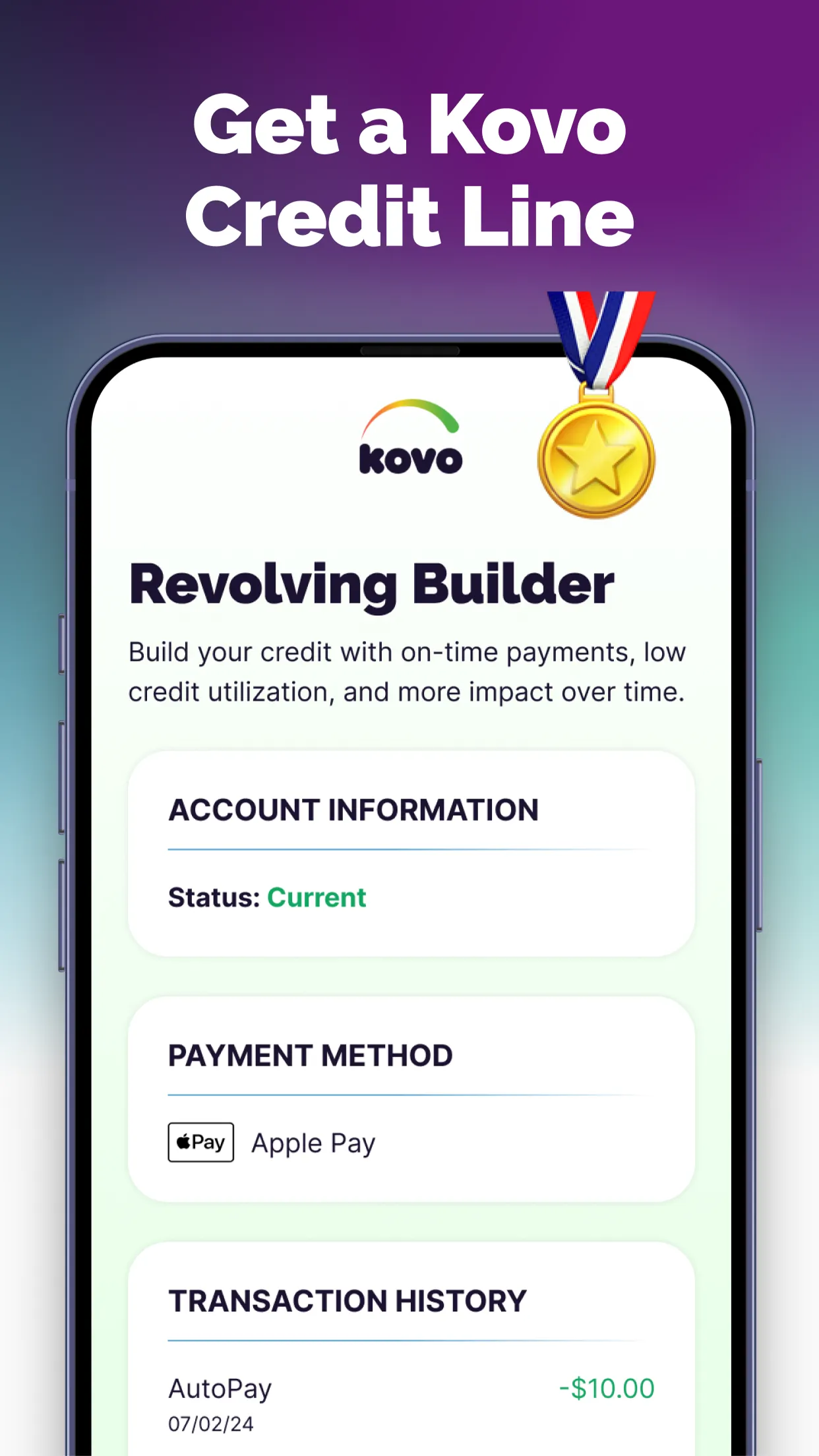
Kovo says the add-on is available to eligible customers after one on-time payment. Kovo says the Revolving account is also reported to all four bureaus, so it shows as a second account.
What this means for you: budget $240 for the standard plan, or $480 if you add the credit line for the full 24 months. If you take the refund inside 30 days, you have paid only the first payment or two.
Kovo’s Installment Credit Account is $10 a month for 24 months, with no fees and no interest, as Kovo states. View plans at Kovo
What Kovo’s terms say when you deactivate your account
Kovo’s terms let you end the agreement by deactivating your account, and they say the amount due stays the same. The relevant passage is in section 14 of the Terms of Service (checked 22 November 2026, source: Kovo Terms):
“You may end your legal agreement with Kovo … by deactivating your account(s) … please contact us at support@kovocredit.com. Deactivating your account will not have any effect on any agreements you have entered into with Kovo related to the Services or the amount due payable to Kovo.”
Read this in three steps. First, you end the relationship by writing to the same support address. Second, the contract you signed when you made your first payment stays in force. Third, the amount you owe under that contract is unchanged by deactivation.
That is why the refund window is so useful. Inside 30 days, the free refund gives you a way to leave with little paid. After 30 days, the cancel route ends the account, and the terms keep the contract amount in place.
Kovo’s sign-up text sets out how you agree to the plan. By making your first payment, you are “electronically signing the Kovo Installment Credit Agreement and electing to make monthly payments on your installment credit account using auto-pay”. So autopay is part of the agreement from the first $10 (checked 22 November 2026).
What this means for you: if you are unsure about the 24-month commitment, decide in the first 30 days, when a free refund is available. If you are past that point, email support and ask how the remaining months are handled. Keep the answer in writing.
Paying early, skipping and missing a payment
You can pay the plan off early at no extra cost, but you cannot skip a payment. Kovo’s Help Center answers the early payoff question under “Is there a fee for closing my account early?” (checked 22 November 2026, source: Kovo Help Center):
“Kovo does not charge any prepayment penalties.”
Paying early closes the plan sooner. It does not change the price, because there is no interest to save, and the 24 months of ID monitoring are part of what you bought. If your goal is simply to finish the commitment, early payoff is a clean way to do it.
Skipping a payment
Kovo’s Help Center says “At this time, it isn’t possible to skip a payment.” Your payments draft automatically, because the plan is set up with autopay from approval. You change the payment method in your account at kovocredit.com/app.
Keep a small buffer in your bank account on the draft date. Your own bank sets its overdraft and insufficient-funds charges, and a buffer keeps those charges away. Kovo itself lists no failed payment fee.
Missing a payment
Kovo does not charge late fees, and that is a real strength of the plan. The Help Center states that “we do not charge late fees”. It adds that if a past due balance is not paid within 30 days, Kovo is required to report the payment performance to the credit bureaus.
The practical rule is easy to follow. You have up to 30 days to pay a past due balance before it is reported. Pay inside that time and you avoid it. Kovo also says late payments “may be reflected on your credit report”, so on-time payments are the way the plan is meant to work.
What this means for you: pick a payment date you can meet, keep the payment method current, and use early payoff if you want to finish before 24 months.
How to stop the Revolving add-on from renewing
You stop the Revolving add-on by getting in touch with Kovo’s support team. Kovo’s sign-up text says it in two short sentences (checked 22 November 2026, source: Kovo sign-up page):
“You can cancel an upcoming renewal by getting in touch with our support team.”
The same page describes the add-on as having “Monthly auto-renew”, with payments “drawn from your single-purpose credit line and due 1 day later”. So the add-on renews each month, and you act before the next renewal if you want it to stop.
The add-on is separate from the Installment Credit Account. You can keep the $10 a month (checked 22 November 2026) Installment plan and ask support to stop only the $10 a month add-on. Say so in your email: “Please stop the renewal of my Revolving Credit Account and keep my Installment Credit Account.”
Kovo says the add-on has “$0 fees, 0% interest” and a $500 limit to use at Kovo. If you have used part of the line, ask support how that balance is handled before the renewal date. A written answer protects you.
Some buyers add the credit line because Kovo reports it to all four bureaus as a second account. Others prefer to keep the plan simple. Both choices are open, and neither locks you in beyond the renewal wording above.
What this means for you: you can add the credit line to your plan and remove it later. Tell support before the renewal date and keep the reply.
Rewards, referrals and what you give up by leaving
If you leave Kovo, you also leave its rewards, so check them before you send the email. Kovo’s home page offers “up to $1,225 in rewards” and “1% back for loans and up to $75 for credit cards” (checked 22 November 2026, source: Kovo home page).
Rewards are gift cards that Kovo gives when you open a partner product through its links. Kovo’s Help Center says they are open to active customers who have made 4 or more on-time payments. The table shows each category and its cap.
| Reward category | Cap shown on Kovo’s Help Center |
|---|---|
| Personal loan issued | 1% back, up to a $500 gift card |
| Student loan issued | Up to $250 |
| Student loan refinance issued | Up to $250 |
| Auto loan refinance issued | Up to $150 |
| Credit card issued | Up to a $75 gift card |
| Total of the five caps | $1,225, our arithmetic |
Kovo explains how to claim a reward. You log in, open Rewards, and use the link provided. You then “open your account within 15 days of clicking the link”. Kovo says rewards are earned within 90 days of loan or card issuance, and each reward can be redeemed once per category.
Kovo also pays for referrals. Its home page says “Get $30 for each friend you refer” (checked 22 November 2026). If you plan to refer friends, that is another reason to stay for a few months.
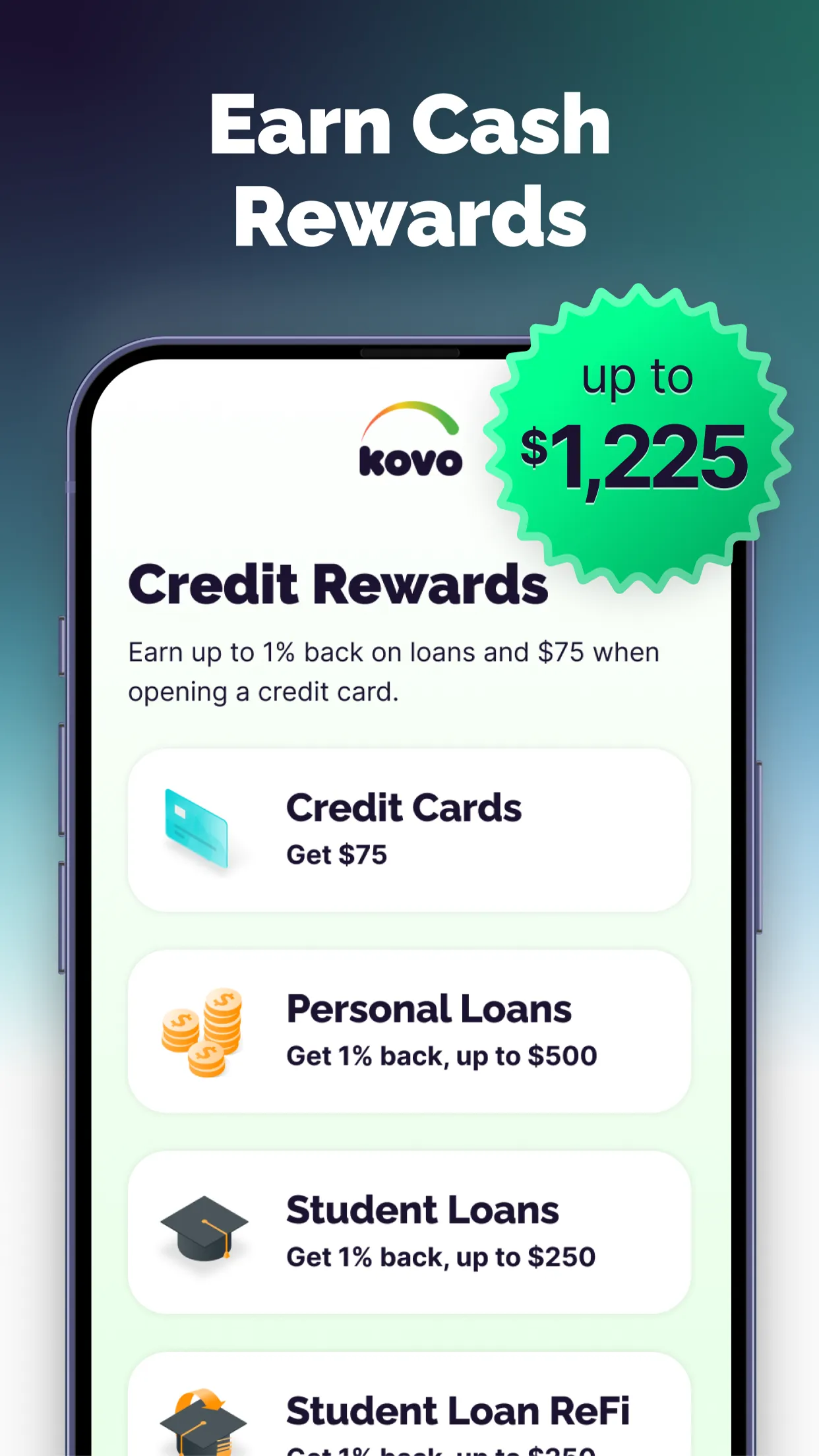
Rewards depend on your own eligibility for the partner products, so they are a bonus, not a reason by themselves to sign up. They show what staying beyond month 4 can add. A refund inside 30 days comes before month 4, so the refund and the rewards are separate decisions.
What this means for you: if you already plan to apply for a loan or card, stay long enough to reach 4 on-time payments first. If you want out early, the 30-day refund is the cleaner route.
Five worked scenarios: what happens in each
Each scenario below uses Kovo’s published terms and the $10 monthly price (checked 22 November 2026). Our arithmetic is shown so you can check it.
Scenario 1: You change your mind in week two. You email support@kovocredit.com and ask for a refund under the 30-day policy. You are well inside the window, and Kovo says the refund is free. You have drafted one $10 payment so far, so that is the amount involved. This is the lowest-cost exit the plan has.
Scenario 2: You decide on day 28. You send the request on day 28 and state your first payment date in the message. Because the window is 30 days, send it before the last day and keep Kovo’s reply. If your billing date has produced a second $10 draft, the amount is $20. The dated email is your record.
Scenario 3: You want to leave after month 6. You are past the refund window. You have paid 6 x $10, which is $60, and $180 of the $240 contract is still open. Kovo’s terms say deactivation does not change the amount due. Write to support, ask how the remaining $180 will be handled, and ask how the account will be reported. Then you can decide with Kovo’s answer in hand.
Scenario 4: You can afford more per month and want to finish early. You pay off the plan early. Kovo does not charge prepayment penalties and there is no interest, so early payoff costs nothing extra. After 12 months you have paid $120. Paying the rest finishes the plan and costs $120 more, for $240 in total.
Scenario 5: You added the Revolving add-on and only want the Installment plan. You email support and ask to stop the Revolving renewal. Kovo says you can cancel an upcoming renewal by getting in touch. Your Installment plan stays at $10 a month. You stop the extra $10 a month, which keeps you at $240 over the full term instead of $480.
The scenarios show a pattern. The cheapest decisions come early, when a refund is free and little has been paid. Later decisions are still open, and they go through support.
| Scenario | Route | Paid so far | Written record to keep |
|---|---|---|---|
| 1. Week two | Refund by email | $10 | Kovo’s reply to your request |
| 2. Day 28 | Refund by email | $10 to $20 | Your dated email and the reply |
| 3. After month 6 | Cancel by email | $60 | Kovo’s answer on the remaining $180 |
| 4. Early payoff | Pay off early | $120 at month 12 | Payment receipts |
| 5. Revolving add-on only | Stop renewal | Depends on months | Kovo’s confirmation |
What this means for you: find your scenario, follow its route, and keep a dated record. Whichever you pick, you start by writing to support@kovocredit.com.
How Kovo’s terms compare with Kikoff and Self
Kovo’s terms are the simplest of the three on fees and the broadest on bureaus, while Kikoff has the lowest monthly price and Self returns a payout. This table compares the main terms as each company states them, checked on 22 November 2026.
| Term | Kovo | Kikoff | Self |
|---|---|---|---|
| Entry price | $10 a month | $5 a month (Basic) | $25 a month (lowest option shown) |
| Term | 24 months | 12 months, billed monthly | 24 months |
| Interest | “0% interest” | 0.00% APR on the credit account | 15.51% to 15.92% APR on the four options shown |
| Fees | No setup, annual, late, failed payment or prepayment fees | No annual or late fee on the credit account; $50 one time for past rent | Late fee of 5% of the payment after 15 days; early closing fee of less than $1 may apply |
| Refund window | Free refunds within 30 days | 45 day money back guarantee, once per person | None shown on its pricing page |
| How to cancel | Email support@kovocredit.com | Email support@kikoff.com | Closing early is allowed; a small fee may apply |
| Money at the end | None; no savings account | None; it is not a credit builder loan | A payout, for example $511 after paying $600 on the $25 option |
| Bureaus | TransUnion, Equifax, Experian, Innovis | Equifax, Experian, TransUnion | Equifax, Experian, TransUnion |
The chart shows the entry price of each, so you can see the monthly commitment at a glance.
Kovo’s lead is clarity and reach. It lists every fee it does not charge. It reports to four bureaus, including Innovis, where Kikoff and Self name three. It has no interest, and its monthly price stays $10 for 24 months.
Kikoff’s lead is the entry price and the longer refund window. Its Basic plan is $5 a month, with a 45 day guarantee that works once per person. Its plans run 12 months and renew by default. If a low monthly bill is your first goal, Kikoff is a strong choice, and you can read our Kikoff cancellation guide for its terms.
Kikoff offers a 45 day money back guarantee and plans from $5 a month. Check plans and prices at Kikoff
Self’s lead is the payout. You pay into an account held at a partner bank and receive money back at the end, minus interest and fees. On the $25 option, Self shows $600 paid and $511 returned, so the cost is the $89 finance charge plus any fees. If getting money back matters most, Self is built for that, and our guide to how credit builder loans work explains the model.
Ava, CreditStrong and Dovly also build credit, and each states its cancellation terms on its own site. We rank all of them in our guide to the best credit builder apps, and our Kovo alternatives page sets them against Kovo.
What this means for you: choose Kovo when you want one flat price, a long fee list that says no, and four-bureau reporting. Choose a rival when the entry price or a payout matters more.
Why these terms make Kovo a lower-risk purchase
Kovo’s terms limit what you can lose in five ways, and each one is a fact you can confirm on its own pages. Together they make the plan easy to try.
A written refund window. Kovo offers free refunds within 30 days, started by one email. That gives you a month to look at the app and the tools before you commit to the rest of the term.
A short fee list. Kovo’s Help Center says there are no setup, membership, annual, late, failed payment, processing or prepayment fees, and no interest charges. The plan is $10 a month (checked 22 November 2026), which is $240 over 24 months.
No hard credit pull to apply. Kovo says there is no hard pull on your credit when you apply and open an account. Approval is subject to instant background verification and income qualification, so a decision comes quickly.
Reporting to four bureaus. Kovo reports your monthly payment to TransUnion, Equifax, Experian and Innovis. The App Store listing shows the four names together, as in the image below.
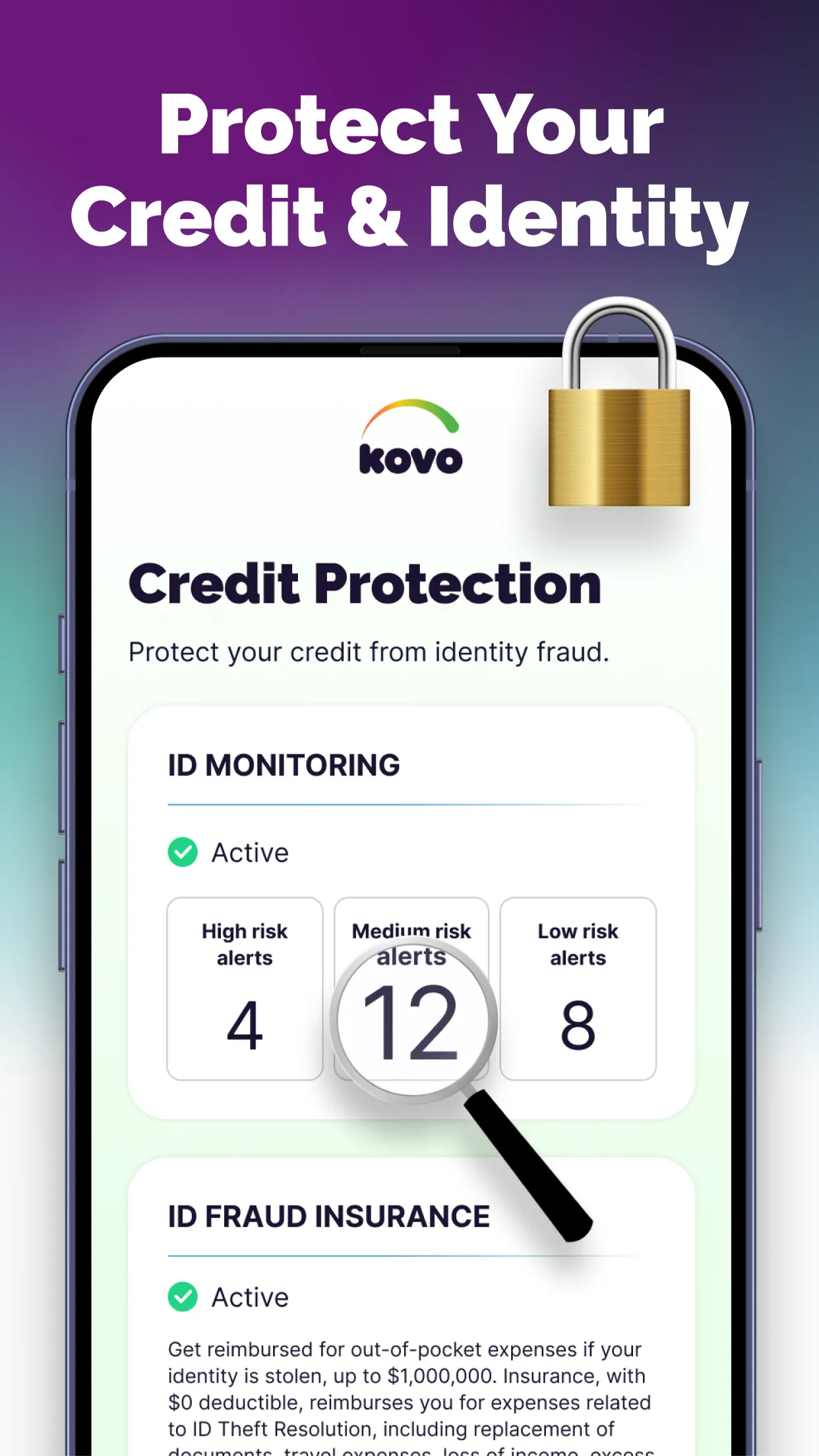
A company you can name. Kovo Inc. is a registered public benefit corporation, which is a company that writes a public purpose into its charter. Its Contact page lists NMLS ID 2006784, a support phone of (855) 965-5686 and an email address. Kovo says it serves customers in all 50 states and the District of Columbia.
The Apple App Store shows the app, “Kovo - Fast Credit Builder”, at 4.93 out of 5 from 14,279 ratings (read 22 November 2026, source: App Store listing). The seller is Kovo Inc., and the current version is dated 13 November 2026.
Kovo also describes what you get for the $10. It lists 24 months of ID monitoring, a FICO Score tracker and personal growth tools. After one on-time payment, eligible customers can add credit boosts, including ID fraud insurance of up to $1,000,000, underwritten and administered by American Bankers Insurance Company of Florida, an Assurant company.
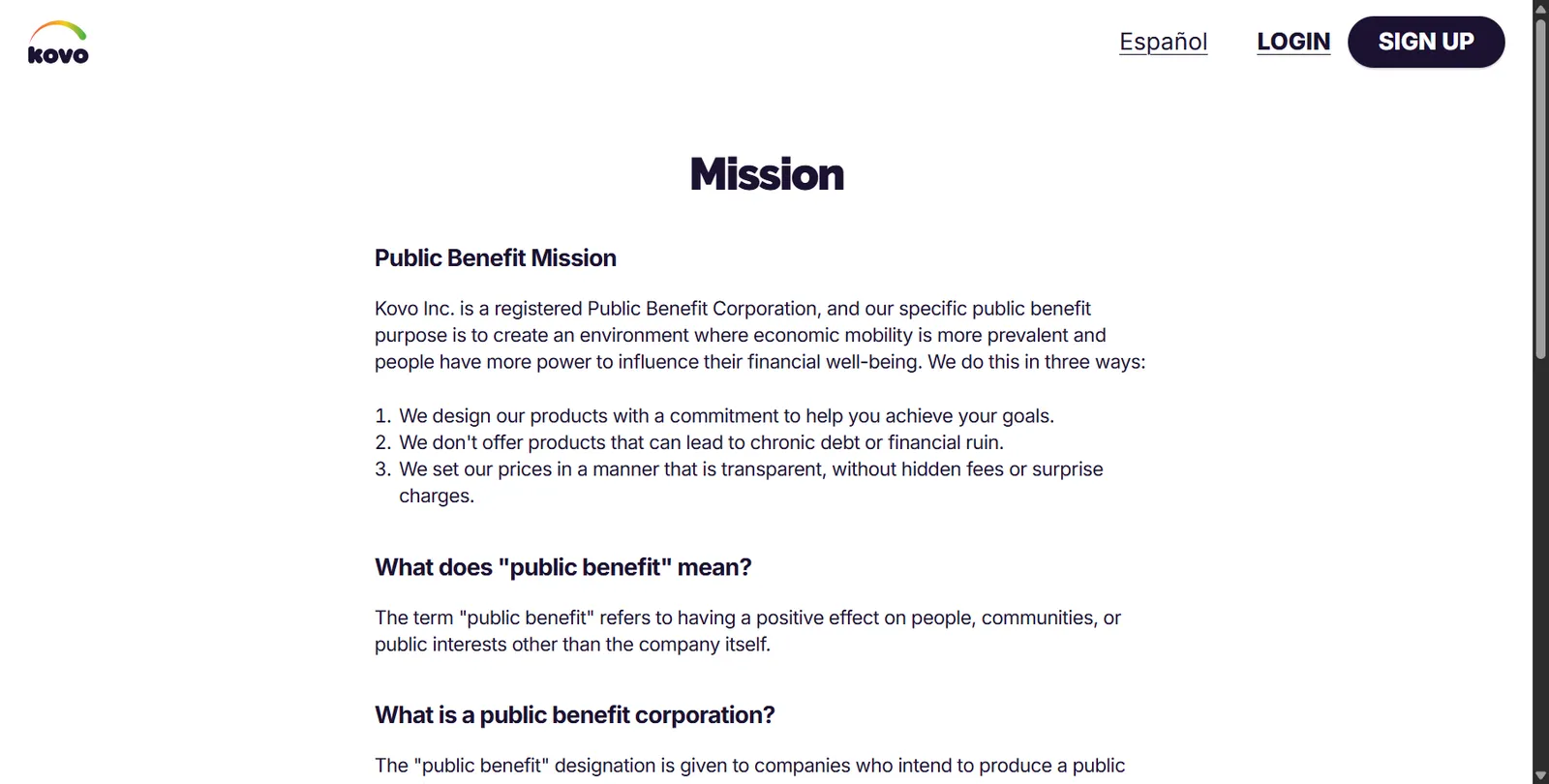
The mission page states the purpose behind the company, and it is worth a read if you want to know who you are paying.
For a fuller look at the company, read our Is Kovo legit page and our Kovo review.
What this means for you: the refund window, the fee list and the named company give you clear terms to start from. You can try the plan with a known exit.
Who should buy and who should skip
Kovo suits buyers who want a fixed, simple credit-building plan and value a clear exit in the first 30 days. The first list is who we recommend it to, and the second is who should look elsewhere.
Who should buy Kovo
- You are building credit for the first time and want one flat $10 a month (checked 22 November 2026), with no fees and no interest as Kovo states.
- You want your payment reported to four bureaus, including Innovis.
- You like to try before you commit, and the free 30-day refund window gives you that.
- You want ID monitoring, a FICO Score tracker and growth tools bundled with the plan.
- You plan to apply for a loan or card and want to reach the 4 on-time payments that open Kovo’s rewards.
- You can keep autopay running for 24 months, because Kovo does not allow skipped payments.
- You prefer to deal with one support email for refunds, cancellation and renewals.
- You live in the United States, are 18 or older and have a valid Social Security number, which are Kovo’s requirements.
Kovo is not the best fit if
- You want money paid out at the end. Kovo has no savings account and no payout, so Self is the better fit, and our alternatives page compares the options.
- You want the smallest possible monthly cost. Kikoff Basic starts at $5 a month, and you can see its terms in our Kikoff cancellation guide.
- You want a longer refund window than 30 days. Kikoff offers 45 days, and our best credit builder apps guide lists other options.
Kovo keeps the plan to one flat $10 a month, with a free 30-day refund window to try it. See current prices at Kovo
What this means for you: if you sit on the first list, Kovo is a good match. If you sit on the second, pick the alternative named beside your point.
A checklist before you send the email
Run through this checklist before you write to support, so your request is complete the first time. It takes about five minutes.
First, match your situation to the route. This table sums up what the earlier sections show.
| Your situation | Route | Where Kovo states it |
|---|---|---|
| Inside 30 days of your purchase and unsure | Email for a free refund | Help Center return policy |
| Past 30 days and want the account ended | Email to deactivate | Help Center and Terms section 14 |
| Want to finish the 24 months sooner | Pay off early, no penalty | Help Center fees answer |
| Want to stop only the credit line | Ask support to stop the renewal | Sign-up page text |
- Count the days. Find your first payment date and add 30 days. If today is inside that window, ask for a refund.
- Check what you have paid. Look at your bank statement and add up the $10 drafts (checked 22 November 2026). Use the table earlier in this article to see what is left on the 24 months.
- Look at the Revolving add-on. If you added it, decide whether you want to stop only the add-on or the whole account.
- Check your rewards. If you have 4 on-time payments and plan to apply for a loan or card, claim any reward first.
- Ask your reporting question. Ask support how your account will be shown on your credit reports after you leave.
- Write one clear email. Use the sample above. State your name, plan, first payment date and what you want.
- Keep every reply. Save Kovo’s answer with the date. Then check your next bank statement.
The order matters. Counting the days comes first, because it decides whether a free refund is open to you. Everything else follows from that date.
Many people want to cancel for one of three reasons. Some have a change in their monthly budget. Some prefer a rival with a lower price. Some have reached the goals they set. The checklist works the same for all three, and the refund window is the cheapest way out for any of them.
What this means for you: a five-minute check and one email cover almost every case. You will have Kovo’s answer in writing.
Verdict: start with Kovo and use the 30 days
If you are weighing how to cancel Kovo credit before you buy, the terms support a clear plan: start, use the 30-day window, then keep it or leave with one email. Kovo gives you a free refund inside 30 days, a $10 flat monthly price, no fees or interest as it states, and reporting to four bureaus.
We recommend Kovo to first-time credit builders who want that simple plan and can keep up $10 a month for 24 months, $240 in total (checked 22 November 2026). It is a good fit if you value a short fee list and a written exit. If you want a payout, look at Self, and if you want the lowest monthly price, look at Kikoff.
Pay with the end in mind. Write down your first payment date, set a reminder for week four, and decide before day 30. If you stay, you have the app, the tools and 24 months of ID monitoring. If you go, you email support@kovocredit.com.
Kovo offers plans at $10 a month, reporting to four bureaus and a free 30-day refund window. See current prices at Kovo
This article is general information, not financial advice. Terms, rates and fees change; confirm them on the provider’s site before you apply.
Frequently asked questions
How do I cancel my Kovo credit building subscription?
Email support@kovocredit.com and ask to cancel your account. Kovo's Help Center and terms both name that address as the way to do it. Write from the email on your account, include your full name, and say whether you also want a refund. Keep a copy of your message and Kovo's reply.
Does Kovo give refunds?
Yes. Kovo's Help Center says it offers free refunds within 30 days for a purchase made with the Installment Credit Account, for any reason. To start a return, you email support@kovocredit.com. Send the request early in the 30 days so the date is clear, and keep the reply.
Can I cancel Kovo at any time?
Kovo's terms let you end your agreement by deactivating your account, and you ask for that by emailing support@kovocredit.com. The terms also say deactivating does not change the amount due to Kovo. If you want your money back, use the free refund within 30 days.
Is there a fee for closing my Kovo account early?
No. Kovo's Help Center says it does not charge prepayment penalties, so paying off the plan early costs nothing extra. Kovo also lists no setup, membership, annual, late, failed payment or processing fees, and no interest charges. The plan is $10 a month for 24 months.
Can I skip a Kovo payment?
No. Kovo's Help Center says it is not possible to skip a payment at this time. Kovo does not charge late fees, but if a past due balance is not paid within 30 days, Kovo is required to report the payment performance to the credit bureaus. Keep your payment method current.
How do I stop the Kovo Revolving Credit Account from renewing?
Get in touch with Kovo's support team. Kovo's sign-up text says you can cancel an upcoming renewal that way. The Revolving add-on is $10 a month on top of the Installment plan (checked 22 November 2026), so tell support before the next renewal date if you want it to stop.
Do I get my money back when the 24 months end?
No. Kovo says there is no savings account attached to the plan and no cash payout at the end. The $10 a month buys Kovo's tools and services on credit, including 24 months of ID monitoring. Pick a payout product such as a credit builder loan if you want money returned.
What happens to my credit report if I cancel Kovo?
Kovo's Help Center says cancelling your account can have a negative impact on your credit score. Kovo reports your payments to TransUnion, Equifax, Experian and Innovis each month. If you are inside the 30-day window, ask support how a refund is reported before you send the request.
Is there a trial period for Kovo?
Kovo shows no free trial. What it offers is the free 30-day refund window on the Installment Credit Account. You pay $10 to start, use the app and the tools, and decide inside 30 days. If you want out, email support@kovocredit.com and ask for the refund.
How much does Kovo cost if I stay the full term?
The Installment Credit Account is $10 a month for 24 months, which is $240 in total (checked 22 November 2026). Kovo says there are no fees and 0% interest. The optional Revolving add-on costs another $10 a month, so both together would total $480 over 24 months.
Sources
Pages we read for this article, checked 22 November 2026.
- Kovo: home page
- Kovo Help Center: refunds, cancellation and fees
- Kovo: Terms of Service
- Kovo: About
- Kovo: Contact
- Kovo: sign-up page
- Apple App Store: Kovo - Fast Credit Builder
- Kikoff: Pricing and 45-day money back guarantee
- Kikoff: Terms of Service and Credit Account Agreement
- Self: Credit Builder pricing
- Self Help Center: fees on a Credit Builder Account
About the editor
Ruth Calloway, money editor
Ruth covers consumer finance products and reads the disclosures, fee tables and terms that most people skip.